Quick Answer: Couch co-op landed in v2.0 (August 12) and has been patched three times since — update first, because on the launch-day build local achievements did not register at all. To set it up: connect up to four controllers, pick Local in the menu, and press any button on each pad at the lobby screen. One player can be on keyboard and mouse, so a table of four needs three controllers. That also removes every networking problem below for anyone who was only ever playing with people in the room. For online play, the graphics patch is still v1.5: run normally at the launch chooser, and only pick Direct3D 12 if something won't render. In-game matchmaking is officially not coming; the official replacement is a 'Looking for group' Discord. Still open online: join timeouts between friends, no rejoin after a crash, a Steam Deck room-code problem, and the mid-session black screen.
Version note: Current as of v2.1.2 (August 14, 2026). Assembled from official Steam announcements and pinned threads, launch-window forum reports, a community troubleshooting guide and launch-week reviews, linked inline. We re-check daily during the launch window.
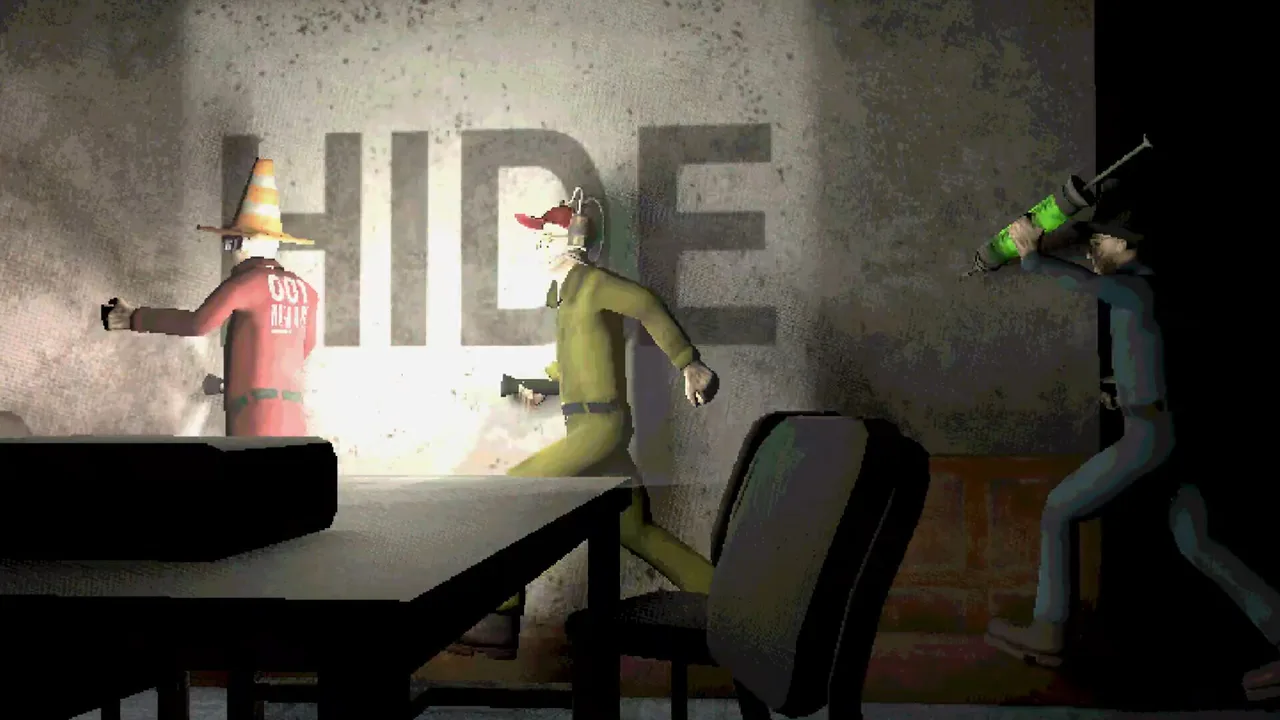 When the machine says HIDE, you hide. When the game won't render at all, see below. (Screenshot: Oro Interactive)
What v2.1.1 and v2.1.2 Fixed (August 13-14)
Couch co-op shipped with three problems and they were patched the next day, with a fourth following on August 14. If you played local on August 12, update before you conclude anything is broken:
| Fixed in v2.1.1 | What it was |
|---|---|
| Achievements not registering in Local | Nothing you did in couch co-op counted. See the Achievements Guide — this one has a consequence beyond the patch |
| A crash when a controller disconnected in a local lobby | A pad dropping out could take the whole session down |
| Inputs behaving strangely in The Filter after v2.0 | Marked "potentially fixed" — the developers could not reproduce it and ask you to report it if it persists |
| Localisation errors | Various |
The same patch adds a SHUFFLE toggle to Custom playlists, which randomises simulation order once the game starts — the answer to a group that has memorised your rotation.
v2.1.2 (August 14) is a single line: the vessel insertion intro cutscene not playing in Original mode when played Local. Cosmetic, but it tells you where the developers' attention still is — three consecutive patches, all of them local-mode cleanup.
Couch Co-op: How to Set It Up
Shipped in v2.0 on August 12, roughly a week after the developers said it was "coming together nicely" and would arrive in the next few weeks. The official setup, quoted from the announcement:
- Connect up to four controllers.
- Navigate to Local in the menu and select Original, Custom or Arcade — all three modes work locally.
- At the lobby screen, press any button on a controller to join.
One player can be on keyboard and mouse, so a group of four only needs three pads.
The local lobby behaves differently from the online one, and the differences are the kind that look like bugs if you do not know about them:
- Every joining player must enter a name and pick cosmetics before they can ready up. There is no anonymous quick-join.
- A five-second countdown starts once everyone is ready, and any lobby change interrupts it.
- Names and customisation persist between games — you return to the lobby with your setup intact regardless of mode.
- On the intermission screen, any player can flip the briefing pages, and the READY button is replaced by couch-specific UI.
The Steam board still tells you nothing about couch co-op, three days on — it remains almost entirely room-code posts for online play. The only public record of how v2.0 landed is what the developers chose to fix in the three patches since (above). That is a real signal in itself: local achievements not counting, a controller-disconnect crash, The Filter's inputs and a missing intro cutscene all got reported through the bug form rather than the forum. If couch co-op misbehaves for you, use the form — nobody is going to see it on the discussion board.
Black Screen or Graphical Issues
Symptom: the game boots to a black screen. It's actually running — you get the in-game cursor, UI hover sounds and music — but nothing draws. At least six players reported it independently on launch day, and reinstalling and verifying files didn't help.
The fix shipped in v1.5. Two parts, per the official announcement: an engine upgrade to Godot 4.5.2, which "fixes a number of graphical issues for different hardware configurations," and a launch chooser that asks whether to run normally or with Direct3D 12. The developers' guidance: "We recommend running it normally, but if you run into graphical issues, you can try running it with the second launch option which will hopefully fix it."
So: update, launch normally, and switch to D3D12 only if something still won't render. No player confirmations or refutations of the v1.5 fix are on record yet.
If your black screen survives v1.5, work down this list:
- Try the other renderer. The pre-v1.5 flags still exist for anyone on an old build:
--rendering-driver d3d12(the developers' own prescription in a since-removed pinned thread) and--rendering-driver opengl3(player-found, confirmed by multiple players), added under Properties → Launch Options. Both move the game off its default Vulkan renderer, which fits a Vulkan path failure on affected setups (our inference). - Swap flags if one minigame goes blank. One player whose boot black screen cleared under opengl3 then found the sniper minigame rendering pure white. A replier suggested d3d12 instead; no confirmation either way.
- Reinstall your graphics drivers. This fixed a crash-on-launch case on a GTX 1060 6GB, per a community guide. Try the renderer options first — they're less invasive.
- File it with your specs. One dual-GPU laptop report (RX 6600M plus integrated graphics) has the game silently exiting a few seconds after a black window, with nothing working and no developer reply. Dual-GPU setups are worth calling out explicitly on the bug form below.
The mid-session black screen is a separate variant and still open: three to four independent reports of games ending in a black screen, "a black screen after 3 minigames," and mid-game freezes with "no way to continue," including two players in one lobby hitting it simultaneously. Nobody has replied to any of those threads. Whether v1.5's engine upgrade covers this variant is unconfirmed — there's no post-patch echo either way.
Matchmaking Is Not Coming — Use the Official LFG Discord
The launch window's loudest demand got its answer in the v1.5 announcement, and it's a no:
"Since the beginning of development we've designed and written the game for groups of friends due to the nature of party games, so while we hear your requests for public matchmaking and lobby lists, it was unfortunately not part of our core vision when we set out to make this game. […] as far as in-game matchmaking functionality goes, we're unfortunately unable to support it due to how we envisioned the game."
That closes a week of escalating pressure: the main matchmaking thread at 31 replies, ~300 LFG posts in a single day on the room-code board, a community QQ matchmaking group, a Russian community prize tournament, and refund threats in the announcement comments.
Here's how to actually fill a table:
- Join the official 'Looking for group' Discord, linked from a pinned Steam thread posted alongside v1.5. It's the first official gathering place; community-run servers, the largest advertising 1,600+ members, still work too.
- Share your 18-digit room code. Anyone with a code can join, so the Steam discussion board functions as a de facto public lobby with a steady stream of live codes. Arcade mode generated its own wave of code-sharing posts within hours of the patch.
- Budget for copies — for online only. There's no single-player mode and no guest option, so a full online table means 2-4 owned copies. Couch co-op needs one copy and controllers, which since v2.0 makes it by far the cheapest way to fill a table.
Expect no in-game voice or text chat, no lobby browser and no bots. If matchmaking-by-Discord isn't the game you thought you bought, decide before the refund window closes.
Join Timeout Between Friends
Two independent threads, no fix. The launch-day one: two friends trying to join each other get a 2-second load and then an instant "time out," in both directions. The second: a player pasting a room code gets "Failed to join. The connection timed out" every single time, and hosting instead of joining didn't help.
Nobody has replied to either thread. Restarting both clients or having a different player host are untested guesses. Report it through the form below with your network setup.
No Rejoin After a Crash
If the game crashes mid-session, there's no way back into the run in progress. You either restart the whole session with your group or sit out the remainder, and a full all-minigames session runs 40-60 minutes.
An early request thread asked the developers for a rejoin option and got no response. Until that changes, treat a mid-session crash as a group decision point — and if your machine is black-screen-prone, sort the renderer before game night.
Steam Deck: Room Codes Can't Be Pasted
In SteamOS gaming mode the copy-room-ID flow doesn't work, and there's no way to type a code manually, which blocks the join flow entirely. Two independent reports (a Chinese-language thread and a launch review) ask for the same fix — show codes on screen, or allow manual entry — with no developer reply. v2.0 did not mention it.
The game itself runs fine on Deck; it's a Godot title with low requirements and native Linux support. Getting into a friend's session is the rough edge, and may need desktop mode. Note that couch co-op does not need room codes at all, so a Deck plugged into a TV with controllers attached now routes around this entirely.
Reports We're Tracking
- Fixed in v1.5, pending player confirmation: getting stuck in geometry (including clipping out of the map in Tunnel Hazard), the bright "flashbang" when all players ready up instantly in Original mode, and uncanny character animations (a blend-tree fix). If any of these were yours, update and retest.
- Random kick mid-game — one player reports a lobby member getting kicked during play with no error given. No replies yet.
- No way to shuffle minigame order — a request rather than a bug, and one that survived v2.0. Custom mode lets you re-order manually, but there is no randomise button, so a group that plays often will see the same sequence. Arcade mode is the closest thing: it picks ten simulations at random.
- Cheating — one day-one report of aimbot and teleporting. With join-by-code lobbies of strangers, moderation tools are thin. We'll escalate this section if reports multiply.
- Screen artifacts / garbled graphics — one Chinese-language report of the screen rendering garbled ("花屏") in this game only, with reinstalling and restarting not helping. Reads like a cousin of the renderer issues above; they hadn't tried the launch flags.
- Recycling minigame input problems — two reports, different symptoms. One says accidentally pressing both mouse buttons leaves the game only accepting both-button presses afterwards; a controller report says a single recycle press registers as two (that thread also notes sniper aim landing on the left stick rather than the right). Two input methods, both pointing at Recycling's input handling, zero replies on either.
- Crash on launch with files already verified — one Chinese-language report of repeated instant crashes.
- Klubnikaverse bundle purchase problems — three reports of the Steam bundle advertising Machine Party at a lower price while the game is missing from the bundle contents, plus inconsistent pricing between store views. That's a storefront configuration issue rather than a game bug; Steam support is the channel.
Where to Report Bugs
The publisher pinned a "Bugs & Issues — Report them here" thread pointing to a Google Form, with the commitment: "fixes and updates will be shared via Steam posts." Form for reports, Steam announcements for fixes.
That channel has delivered five times — the v1.0.7 hotfix (August 1, translation credits only), v1.5 (August 4), v2.0 (August 12), v2.1.1 (August 13) and v2.1.2 (August 14). Bug traffic is expected to shift toward the form, so a quiet forum won't mean no bugs.