Quick Answer: Update to 1.0.1.1652B first. Between July 30 and August 5 the developers cleared every progression blocker the launch window produced.
Fixed: the purple/pink screen bug, permanently — the Decal Mode setting was removed entirely. The transmitter story quest is fixed on both counts: the stage is reachable by any route through Chinatown, and the August 5 patch killed the restart-transmitter softlock that came back after the first fix. Holstered gear vanishing when you hand it between classes is fixed in the same patch.
Still standing: your Early Access save is gone by design, the "unsaved progress" quit dialog is misleading because the game autosaves constantly, crash reports remain under investigation, and performance plus the ad launcher carried over from EA untouched.
On the watch list: the patch's Verminshades loot change apparently not working, gear vanishing during upgrades (a variant the August 5 fix does not name), and a post-patch report of the Chinatown transmitter being hard to find.
Version note: Current for 1.0.1.1652B, checked August 7, 2026. Sources are the official 1.0.0.1607, 1.0.1.1651 and 1.0.1.1652B patch notes, the developers' pinned threads, launch-window forum threads, and Steam review history for the performance and launcher complaints. Single reports are labeled below. We re-check daily during the launch window.
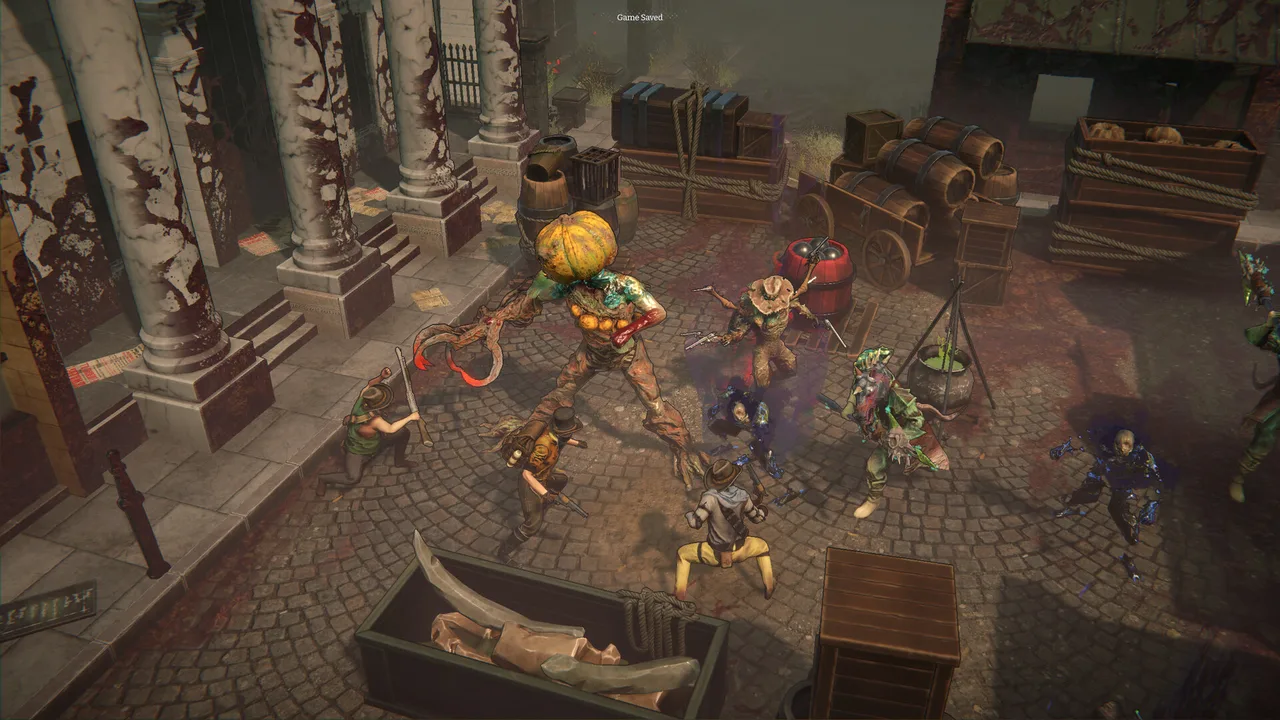 The "Game Saved" toast mid-raid: the game really does autosave constantly — the quit dialog just doesn't admit it. (Screenshot: Ice Code Games)
Purple / Pink Screen, Missing Textures on New Game (Fixed in 1.0.1.1651 — Developer-Confirmed)
Symptom: starting a new game loads into a purple/pink, textureless void — "no texture, only purple shade everywhere." Reported within hours of the 1.0 launch across distinct hardware: an RTX 3060 Ti (Windows, D3D11, ultrawide fullscreen), an RX 6800 XT, and a Steam Deck.
Fix: update. Patch 1.0.1.1651's notes state it plainly:
"Fixed the issue causing levels becoming pink by removing the problematic Decal Mode graphics setting"
The setting is gone entirely, which removes the cause at the source and makes the old DBuffer workaround obsolete on the patched build. The developers closed it out in the pinned "Pink screen | Quick fix" thread on July 31: "yesterday we released a new update for the game and the pink screen bug is now solved!" The thread's most vocal skeptic replied with a simple "Thank you" the next day, and nobody has contradicted the close-out since. Still seeing purple after updating? Say so in that thread.
On an unpatched build, work through the old fixes in order:
- Set Decal Mode → DBuffer. This was the developers' pinned fix, confirmed by three players including on Steam Deck. The cause was launching on a quality preset below High, independent of hardware.
- Toggle the setting away and back if DBuffer is already set and the screen is still purple. Two players confirmed this route: one switched the quality preset to Medium and back to High, another turned DBuffer off and on again ("Have to remove DBuffer then enable it again and it works"). Both stayed fixed. The theory is that the displayed settings were never actually applied, and re-selecting forces them through.
- Verify the game files' integrity through Steam. This cleared an identical purple-fog case for one player and failed for another, so treat it as the fallback rather than the first move.
If none of the three work, email your graphics card model and the Player.log from %USERPROFILE%\AppData\LocalLow\Ice Code Games\NightmareFrontier\Player.log to rkotlinski@icecodegames.com, per the developers' log-collection instructions.
Your Early Access Save Doesn't Work (By Design)
The 1.0 patch notes lead with it: beta saves were wiped for the release, and old EA saves will not load. The developers are keeping the old Early Access build active "for a little while," so roll back via the Steam betas branch if you need to finish an in-flight EA run. Otherwise plan on 1.0 being a fresh start.
"Unsaved Progress Will Be Lost" — Misleading, Not True
Trust the autosave. The game saves at the start of every combat turn, so you can quit partway through a raid and resume where you left off. That is the studio's own answer in the most-viewed quality-of-life thread at launch, and the "Game Saved" toast in raids confirms it visually.
The quit dialog still warns that unsaved progress will be lost, which is what misleads people — the player who raised the thread had been finishing runs in one sitting for fear of losing them. If a run genuinely does not pick up where you left it, the studio has asked for that to be reported with details.
Transmitter Quest Softlocks — Fixed, Twice (Latest: 1.0.1.1652B, Player-Confirmed)
The launch window's worst progression blocker was failing at two stages: a softlock in the Slums mission, where the "restart the transmitter" action never reappeared after killing the enemy wave, and the transmitter stage not appearing at all in Chinatown raids, reachable only via the leftmost path with its map node showing a regular icon instead of a quest marker.
Patch 1.0.1.1651 addressed the whole cluster. Per the notes, it fixed "multiple issues with obstacles locking out sections of certain levels," rewrote the second-stage objective text (now "End Turn and survive next round for the Transmitter to restart"), and changed the objective icon "to make it clear it's about fixing the transmitter and not obtaining a battery." The Chinatown thread's most persistent sufferer, who had hit the softlock four times, edited their post after the patch: "After the patch we got today, 30 july, you can pick any road to finally reach the Transmitter stage. The soft lock is also fixed, so i finally can progress towards the story."
The recurrence is fixed too, as of 1.0.1.1652B (August 5). Two independent reports had described the softlock returning on the patched build in Chinatown: reach the transmitter, restart it, kill the wave that spawns, and then nothing happens no matter how many turns you pass. Quitting to the menu and re-entering respawned the enemies and re-listed the objective, but the Galvanic Cell was gone, so the transmitter could not be restarted at all. The second report added video showing the prompt appearing but refusing interaction.
The August 5 patch names the cause — "Fixed the blocker on Restarting Transmitter missions, caused by undoing actions following the Transmitter restart" — and a developer posted "This should now be fixed" in the report thread that morning. The player who filed the video report answered eleven minutes later, confirming the mission completed on load and the quest moved on.
If the objective still sits there after the restart, take any action. The patch notes carry that as an explicit disclaimer: "If the Restart Transmitter mission won't complete on its own, perform any action (move, attack, end turn) to complete it." Undoing an action right after restarting the transmitter is what used to jam it, so let the restart resolve before you rewind anything.
One separate wrinkle survived the patch: a player reports being unable to find the transmitter in Chinatown across many runs — not softlocked, just not seeing the stage. The patch changed the objective icon precisely because players mistook the transmitter node for a regular stage, so check every node icon on the route map rather than looking for the old quest marker.
On an unpatched build, the old player-found answers still apply: stay on the leftmost path in Chinatown, retry the Slums mission (it worked on the second attempt for most), and for a missing Galvanic Cell, try switching difficulty back to the one you started the quest on — one player's unverified theory is that changing difficulty mid-quest suppresses the item.
Crashes & Lost Progress (Developer Investigating)
Symptom: one player reported a crash three hours in that took their whole save with it, and mentioned seeing other crash reports around launch.
Status: under investigation, no player-side fix. A team member confirmed on July 23 that the crash reports are being looked at, and explained how saving works: the game autosaves when you minimize it, when a battle starts, when you enter the strategic map, and when you return to the main menu. Their working theory for the lost save is that Steam Cloud can overwrite the local save with an empty one on next launch if the crash lands before the latest save uploads.
Those autosave points mean a mid-session crash should normally cost you little. If you want extra insurance, bounce to the strategic map or main menu to force a save.
Performance & Heat (Ongoing, Pre-1.0 Complaint)
The most consistent criticism across the review history, and not new at 1.0:
- GPU load and temperature. Multiple reviews report cards running unusually hot for the visual load — one RX 590 owner cites 70-90°C against 40-60°C in other games.
- A stuck bright-light bug after explosions. One EA review describes bright yellow light streaming across the screen after bombs explode and never clearing.
- Long loading times on Steam Deck, flagged even in otherwise positive reviews.
Status: no player-side fix confirmed for any of these. Settings reduction is the only lever. Nothing in the 1.0 patch notes addresses optimization.
The Launcher (Not a Bug, but Asked Constantly)
The game starts through a launcher that shows ads for other games before the play button. It was added during EA and is the single most-complained-about non-gameplay decision in reviews ("its only purpose is presenting you ads"). There is no in-game toggle, and we have not verified any bypass, so we will not recommend one. The launcher is expected behavior, not a broken install.
Known Oddities & New Watch Items
- Gear vanishing: the swap half is fixed, the upgrade half is not. 1.0.1.1652B "Fixed the issue causing holstered Items to disappear when transferring between characters of different classes" — that is the reported symptom where redistributing gear after a squadmate dies leaves the survivors with less than they started with. The second report's variant is different and unnamed by the patch: items vanishing when equipping them during an upgrade, with the previously equipped item bouncing back to inventory and the upgrade resources gone too. Keep screenshotting your loadout before big upgrades until that one is closed out.
- Verminshades loot change may not be working. The patch notes say Verminshades killed by Precision Rifle or Surgical Knife now drop Shiver Spines instead of Decay Vials, but one player testing exactly that still gets Decay Vials with both weapons. Don't build a Shiver Spine farming plan around this change until it is confirmed working.
- Gambler class was removed at 1.0, but some Gunslingers still display the Gambler's 3D model. The patch notes acknowledge it; cosmetic only.
- Compendium "new entry" alerts won't clear. The exclamation-mark markers stay lit no matter how often you view the entries, and one player sees the same permanent alert on the quarters tab. Cosmetic UI nag with no developer reply.
- The 1.0 notes fixed several EA-era issues worth knowing were real: NullReference errors after winning combats, and Jar of Essence / Plague Mask III abilities failing to clear Bleeding.
FAQ
Is there an official known-issues list? Not a comprehensive one for 1.0 — the pinned "Known Issues" thread dates from Early Access (May 2025). The developers did pin a dedicated "Pink screen | Quick fix" thread on July 23 for the headline launch bug. Treat this page and the launch-window threads as the current picture beyond that.
The AI art controversy — is that a bug topic? No, it is a disclosure. The store page notes AI-assisted assets and the developers have discussed it on the forums. We cover it in the hub FAQ since it is a buying decision, not a technical one.
My problem isn't listed. Post in the Steam discussions with your game version (1.0.1.1652B since August 5), OS and graphics card, and attach the Player.log from the path above for crashes and visual bugs. The developers answer forum threads fast, including same-day replies with log-collection instructions. One quirk: full patch notes also live as a PDF inside the Slitherine launcher (click the game's version number), and during this patch's rollout that PDF had the notes a day before the Steam announcement.